
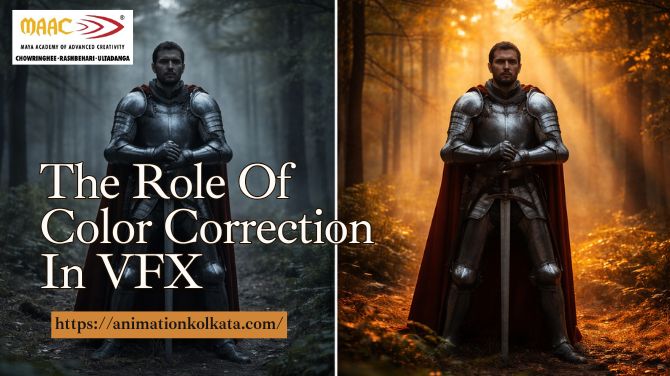
It is very much likely that the term color correction and color grading are often used simultaneously.
Quite a few times one might see color correction used when they really mean color grading and sometimes one might see it is one or the other way round.
But color correction is correcting problem while color grading is adjusting color and contrast to serve the artistic quality.
Below is a guide on the difference between color correction and color grading and some typical best practices of both.
In order to understand the process of color correction and color grading it is important to get a basic grounding in some terms and concepts and a fast learning of some of the tools of the trade.
One should keep all these terms in mind in order to move on in this process of color correction and color grading. Ever wondered why films look so other worldly.
Making it appear as if on Mars or and a deserted house is truly movie magic at work.
In order to set the move of such a visual spectacle, color correction and color grading is very much essential. Color is often used by movie directors and photographers to establish a certain style or environment.
Footage or raw image caught by camera never changes into the screen accurately and perfectly.
Color correction and color grading are used in editing process to adjust color to get best visual effect. Color correction and color grading are often regarded as the same thing.
But there are two separate processes in video or photo editing.
In order to get a proper idea of the dissimilarity between color correction and color grading one needs to realize that they are both part of the technical process in post production.
Color correction is usually done before grading.
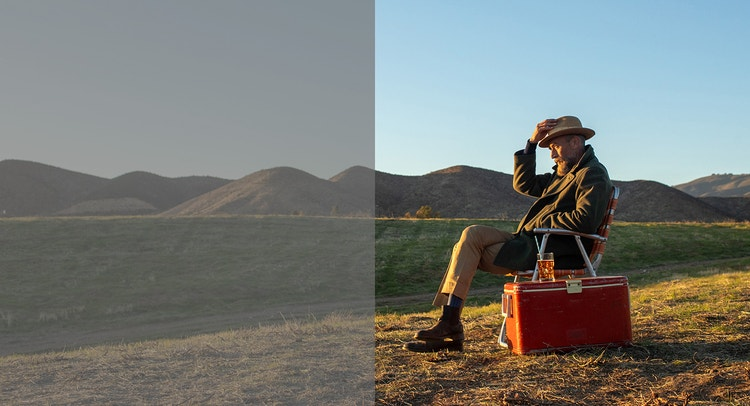
What Is Color Correction?
Color correction is a technical process that adjusts hue saturation and brightness to bring consistency across the footage and corrects any technical color error.
Ways To Color Correction –
There are some simple ways to correct color from the bottom level.
Each and every adjustment in each step affects one another, so one might go to the previous step to make necessary changes.
Adjusting White Balance– White balance is a process to attain a true white image or video so that all colors might fall in the exact area.
The range of light generally ranges from warm to cool tones so adjusting the white balance might alter the temperature and tint by adding more warmth and cooling effect.
A curved application is usually used to find white grey and black levels in post production.
Tweet Exposure– Expose is a process to get an idea of how bright or dark the footage or photo is.
In order to give it a proper exposure to adjust the level of brightness, contrast highlights of shadows of white and black by using curves.
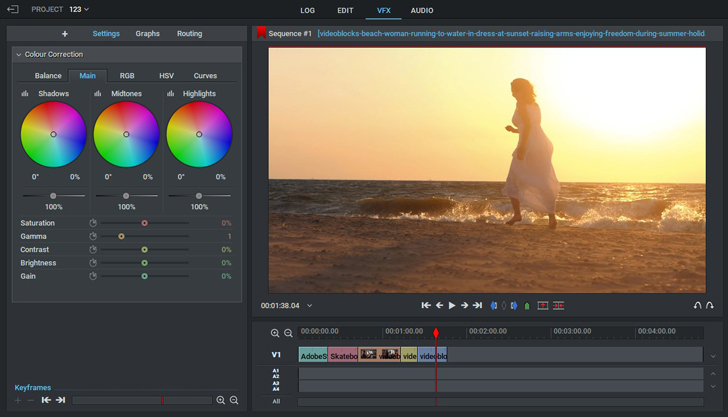
Use The Three Way Color Corrector– This tool helps one to get a hold over hue saturation and brightness and contrast within one interface. It is one of the most perfect ways to experiment with various looks for the footage by dragging a point within each color wheel.
The three wheels control either highlights mid tones or shadows of your video.
What Is Color Grading?
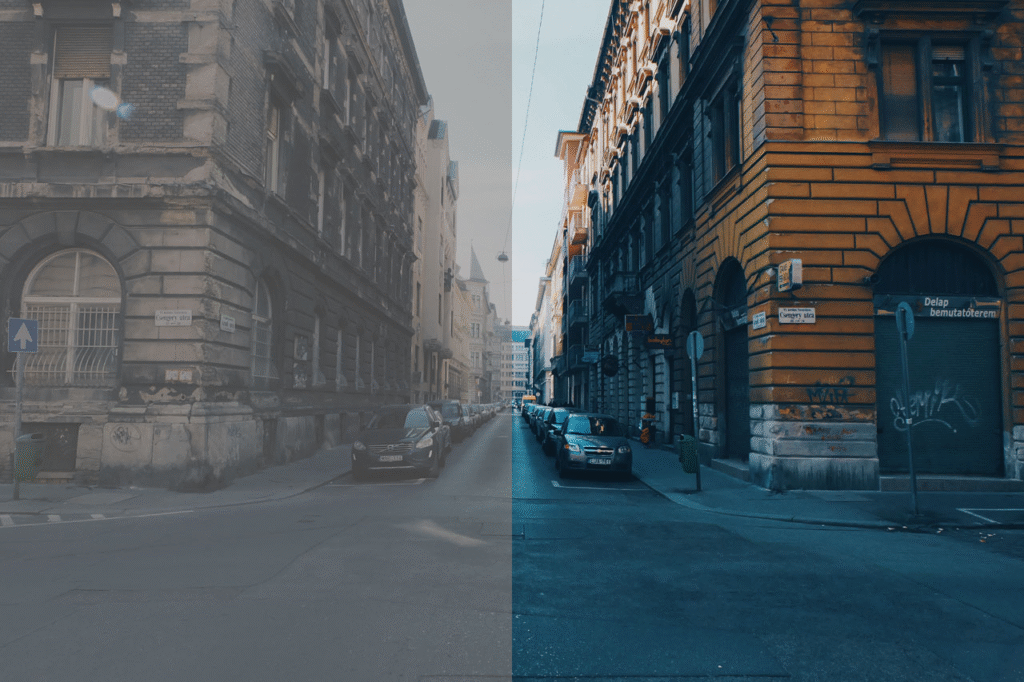
Color grading is an artistic process of adjusting color in a photo or video to give a stylized tone and mood.
It set the final look and feel of a film or portrait.
Color grading is usually done after color correction.
Ways To Color Grade –
The process of color grading is about adding color information on top of existing color values and not changing them.
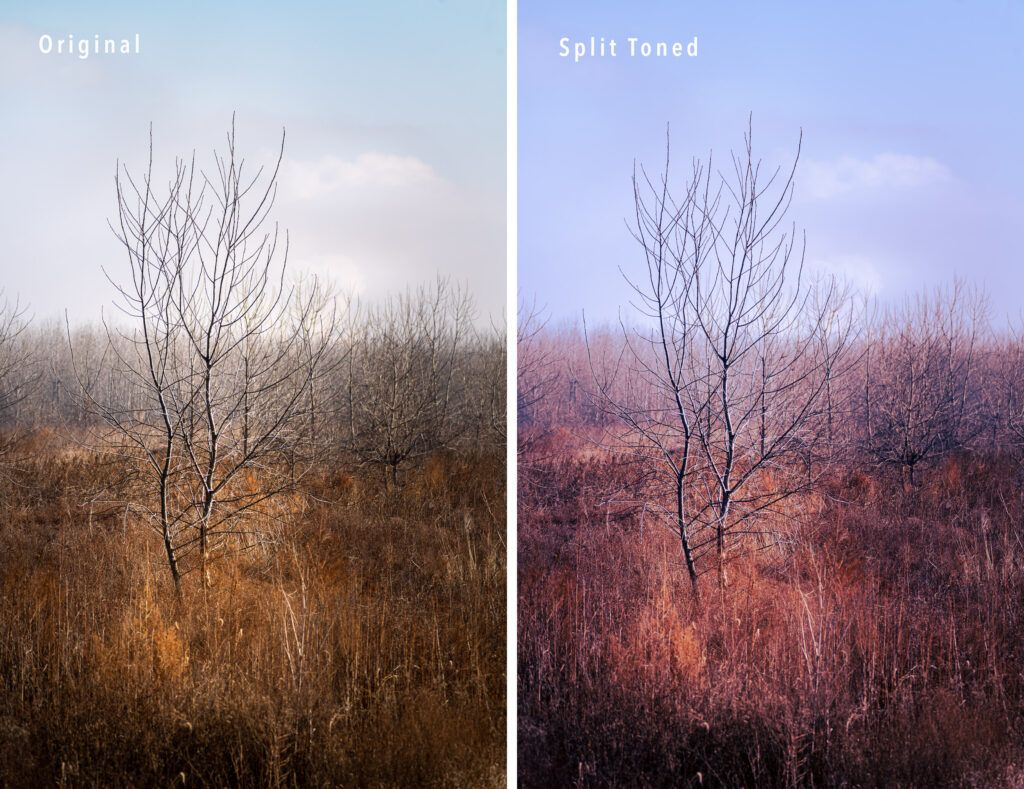
Apply Split Toning– Split toning is a quick way to apply a specific color into lights and darks of image or video without affecting brightness or amounts of shadows and whites.
This allows one color to be added to a certain highlighted area and another to the dark one.
For example one might alter the tone image without affecting skin tones.
The finest way to just add split toning is to adjust hue and saturation within highlights and shadows.
One needs to use the balance feature to qualify which brightness levels are shadows or highlights – this brings more precision to split one adjustments.
Using scope– Scopes make sure the edited color is translated across different screens .There is not point spending time and effort color grading footage and then having the video look entirely different on someone else screen
Scopes present the true levels of exposure color balance and saturation making thus sure that each shot matches visually and colors are broadcast.
There are four primary video scope that is generally used , they are histogram, waveform, RGD parade and veteroscope.
Histogram is used in photography to show distribution of luminance within an image , wave form shows the luminance distribution through the image or footage, but it also shows the image’s bright and dark element.
RGparade is necessarily three separate wave forms for the red green and blue channels .
It shows the luminance value of each color.
Using LUTS For Color Correction– Look up tables are pre-set color filters used to alter the color videos or photos.
The adjusted level of gamma saturation luminance contrast and hue automatically.
LUT contains saved information that may be applied to every single footage and image thus all at once.
They are useful and convenient tools for enhancing color correction and color grading work .
Luts may be created and applied to different formats such as LOG RAW REC709 , REC2020. HDR and more.
Generally colorists use log information LUT as a starting point before starting the color correction process. Once the proper color correction is completed they would try to move on to grading color grading phase and import LUT pack into the footage .
As the pack contains predetermined values it might apply the desired look to the film or photo once.
Color correction and color grading are very much essential process that makes movies and photoshoot from raw beauty to vivid spectacular world .
They might require a monitor to convey as many shades of color in the truest precision as possible .
A professional level monitor that is precalibrated will ensure that your vision will be expressed in a perfect way.
Join MAAC Kolkata & Start Your Career On VFX.
Ph. No. – 8981005311 MAAC CHOWRINGHEE
Ph. No. – 8981006211 MAAC RASHBEHARI
Ph. No. – 8981009211 MAAC ULTADANGA